How can I access YouTube?
Explore, learn and give your work an audience
YouTube is a video platform for watching, uploading and sharing videos and subscribing to creators.
From travel diaries and practical tutorials to public lectures and original stories, discover more of the world—or create a channel and share your own work.
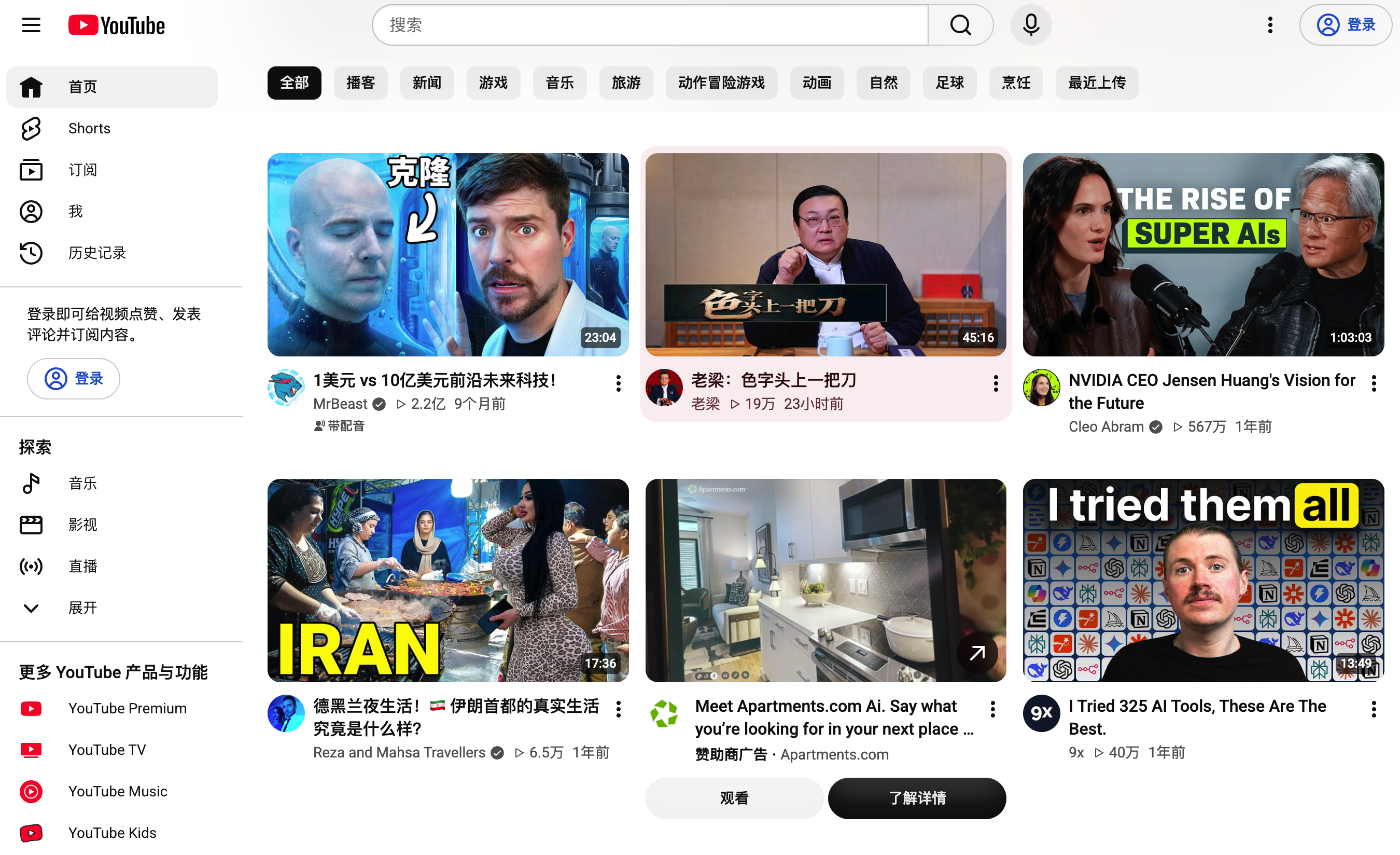
Open another window onto the world
Hear how people in different places explain the same question, or follow a camera through a city you have never visited. Videos can turn time spent watching into a starting point for learning and exploration.
See places and everyday lives
City walks, travel diaries and cultural interviews offer different perspectives. Cross-check important information.
Learn skills step by step
Find programming, photography, design, cooking or repair tutorials. Pause, replay and practice the process yourself.
Explore languages and perspectives
Choose foreign-language content suited to your level, use subtitles to practice listening and compare explanations.
Find interests and communities
Follow music, technology, sports or other creators, and organize useful content with subscriptions and playlists.
Make viewing time more useful: choose a topic, save useful videos to a playlist and pause to take notes or practice. Recommendations do not certify accuracy; check specialist information against reliable sources.
What are the ways to access YouTube?
If your network supports it, open https://www.youtube.com/. Direct access may be unavailable on some mainland China networks. Under local requirements and service terms, explore VPNs, proxies with compatible clients or authorized institutional connections.
VPN and proxy configurations differ. Your route, device and network load affect performance. Installing a browser or the YouTube app does not change network accessibility.
Our recommendation: follow the Just My Socks setup guide
Review plans and supported devices, sign up, obtain connection details, install a compatible client and import the settings. Just My Socks is a proxy service used with a client.
Read the signup and setup guide →- Prepare your connection. Follow the Windows, Mac, Android or iPhone instructions and verify the client is working.
- Visit the official website. Open youtube.com, or get the official mobile app from a trusted app store where available.
- Test a video. Check picture and sound. Reduce resolution if the connection is slow, then adjust as needed.
- Sign in when needed. Use your own Google account to subscribe, comment or create a channel.
Your connection service, YouTube Premium and creator monetization are separate. Buying network access does not include Premium, approval or video income.
Learn a few useful viewing tools
Search with a specific question
Try “photography composition for beginners” or “Python beginner tutorial.” Check publication dates, software versions and the author’s background.
Use captions for understanding
Enable captions when available. Automatic captions and translations can contain errors; check important terms against the original.
Adjust speed and revisit key moments
Choose a suitable playback speed and use the timeline to review. Where the creator provides chapters, jump to the relevant section.
Subscribe and save for later
Sign in to save videos and follow channels that consistently offer useful material, creating your own learning collection.
You can become a creator, too
Have a skill, a story or a question you can explain clearly? Start a channel. After building original work and an audience, eligible channels can apply to the YouTube Partner Program (YPP) and enable available earning features.
Turn experience into videos with lasting value
A tutorial, a recording you film yourself or a thoughtful explanation can be the first building block. Earnings depend on eligible content and viewing performance, take time to develop and require approval.
Open YouTube Studio →What are the main advertising-revenue thresholds?
According to YouTube’s YPP guide, meet either of the following paths, along with the other requirements, before applying:
Long-form video path
1,000 subscribers and 4,000 valid public watch hours in the past 12 months.
Shorts path
1,000 subscribers and 10 million valid public Shorts views in the past 90 days.
Watch time from the Shorts Feed does not count toward the 4,000-hour threshold. Meeting the numbers does not automatically enable earnings: policies and channel review still apply.
What can 500 subscribers unlock?
In supported regions, the expanded YPP offers earlier access with 500 subscribers, three public uploads in the past 90 days, and either 3,000 valid public watch hours in the past 12 months or 3 million valid public Shorts views in the past 90 days. This mainly covers eligible fan-funding and certain Shopping features, not automatic access to video advertising revenue.
How can video views generate revenue?
| Revenue feature | What it means |
|---|---|
| Watch Page Ads | Eligible creators who enable the feature can share revenue from watch-page advertising. |
| Shorts Feed Ads | Revenue is distributed under Shorts rules, which differ from long-form video. |
| YouTube Premium | Eligible creators can receive revenue allocated from Premium members watching their content. |
| Memberships and fan support | Features such as memberships and Super Thanks have their own location and eligibility requirements. |
See YouTube’s earning features. There is no single fixed payment per view. Content, viewer location, advertising demand and eligible views affect results; not every play earns advertising revenue.
Readers in mainland China should check location and payout eligibility: mainland China is not listed in the current YPP availability list. Account security, policies and AdSense for YouTube requirements also apply. Website access does not establish eligibility. Use accurate information and verify the official requirements.
Start with your first original video
- Choose a clear topic. Answer a specific question using experience you genuinely have, rather than covering everything in the first video.
- Create and describe your channel. Explain who you are and what you share, then upload through YouTube Studio.
- Prioritize clear picture and sound. Explain the subject well, use accurate titles and thumbnails and improve production over time.
- Use original work and licensed material. Use footage, music and images you made or may lawfully use. Avoid reuploads, repetitive bulk content or superficial edits.
- Improve using viewing feedback. See where viewers stay or leave, refine your pacing and choose a sustainable upload schedule.
- Check progress in the Earn area. Use Studio’s valid metrics, then follow the application, payment setup and feature-enablement steps when eligible.
Watching helps you understand the platform; creating builds your own body of work. Make something worth watching, then assess earnings and time invested.
Frequently asked questions
Do I need YouTube Premium to watch?
Many public videos can be watched without it and may include ads. Premium is a separate paid membership; check official feature and regional availability.
Does uploading a video with views automatically earn money?
No. Creating a channel and enabling monetization are different stages. YPP and feature requirements apply. Even ads appearing on a video do not necessarily mean the uploader receives revenue.
What if a video keeps buffering?
Reduce resolution, pause other bandwidth-heavy tasks and check the client and subscription. For a proxy, follow the client documentation to review settings or choose an available server.
Can I buy subscribers or watch hours to qualify faster?
Build your channel through real viewers. Artificial engagement can affect valid metrics and review, and does not build a durable audience.
Does YouTube also pay every two weeks?
Do not apply X’s payment cycle to YouTube. Check AdSense for YouTube and official guidance for payment thresholds, verification and status.
From seeing the world to sharing your own
Set up your connection and device, find content you want to learn from, and make your first original video when you have something worth sharing.
Read the signup and setup guide →
Comments